

Can I contact a business outside Makeity?
Learn why all project communication and payments must remain on Makeity, what counts as platform bypassing, and how to protect your account.
Can I Contact a Business Outside Makeity?
No. Communication related to a Makeity project must remain inside the Makeity platform.
Creators must not ask businesses to continue a conversation through WhatsApp, email, Telegram, Instagram, another social network, a private telephone number, or any other external communication channel.
🚫 Bypassing Makeity May Result in a Permanent Ban
Attempting to move a business relationship, project, communication, or payment outside Makeity is a serious violation. It may result in the permanent suspension of your creator account and the loss of access to Makeity.
All Project Activity Must Stay on Makeity
To protect both creators and businesses, the following activities must remain inside Makeity:
- Project conversations
- Questions about the brief
- Shipping updates
- Content submissions
- Revision requests
- Order changes
- Payments and payouts
- Disputes and support requests
What Counts as Contacting a Business Outside Makeity?
Any attempt to exchange personal contact information or move a Makeity project to another platform may be considered an attempt to bypass the platform.
Sending your personal or business phone number to continue the conversation outside Makeity.
Asking the business to message you through WhatsApp, Telegram, or another messaging service.
Providing a private email address for project communication, file delivery, or payment.
Asking the business to contact you through Instagram, TikTok, Facebook, LinkedIn, or another social platform.
Sharing personal booking links, contact forms, messaging links, or external pages intended to move the conversation away from Makeity.
Asking the business to cancel, avoid, or complete the current or future project directly with you.
Asking the business to pay you directly by PayPal, bank transfer, cash, or another payment method outside Makeity.
Moving the brief, delivery, files, revisions, or payment outside the Makeity order.
Keep All Messages Inside the Order
Use the Makeity messaging area for every conversation related to the project.
You can use it to:
- Ask questions about the project brief
- Confirm content requirements
- Discuss shipping or product delivery
- Provide project updates
- Ask for clarification
- Discuss revisions
- Report a delay or problem
Do Not Share Personal Contact Information
Do not send personal contact details in messages, proposals, uploaded files, profile descriptions, video captions, or any other part of Makeity.
This includes:
- Your phone number
- Your email address
- Your WhatsApp number
- Your Telegram username
- Your social media username
- Your website contact page
- A QR code that opens an external contact method
- External payment information
Do Not Accept a Direct Deal
A business may not ask you to cancel a Makeity order and complete the same project privately.
You must not agree to:
- Receive direct payment from the business
- Deliver the content by email or private message
- Continue the current project outside Makeity
- Avoid Makeity fees or order protections
- Move future work outside Makeity after meeting through the platform
Permanent Account Consequence
A creator who attempts to bypass Makeity to close a direct deal may have their account permanently blocked. This may apply even if the external deal was not completed.
What If the Business Shares Contact Details?
Do not continue the conversation outside Makeity. Politely tell the business that all communication and payments must remain on the platform.
Suggested response
Report Attempts to Bypass the Platform
Contact Makeity Support if a business asks you to move the project, communication, or payment outside Makeity.
Include:
- The name of the business
- The project or order details
- A screenshot of the message
- The external contact method they requested
- A short explanation of what happened
Why Does Makeity Require Communication to Stay on the Platform?
Keeping projects inside Makeity helps provide a clear and secure process for both creators and businesses.
- Messages remain documented
- Project requirements can be reviewed
- Content submissions can be verified
- Payments can be tracked
- Support can review disputes
- Creators are protected from unpaid work
- Businesses are protected from incomplete delivery
- Fraud and misuse can be investigated
What Happens If I Contact a Business Outside Makeity?
Makeity may review the messages, project activity, account history, and other available information.
Possible consequences include:
- Removal from the active project
- Cancellation of pending orders
- Loss of creator earnings connected to a policy violation
- Temporary account suspension
- Permanent account suspension
- Loss of access to future Makeity opportunities
🚫 Lifetime Ban for Platform Bypassing
Intentionally attempting to bypass Makeity in order to close a deal, receive payment, or work directly with a business may lead to a permanent lifetime ban. A permanently blocked creator may not create or use another account to return to Makeity.
Frequently Asked Questions
Can I give a business my phone number?
No. Personal phone numbers must not be shared for project communication or direct business arrangements outside Makeity.
Can I communicate with a business on WhatsApp?
No. Communication related to a Makeity project must remain inside the Makeity messaging system.
Can I send the business my email address?
No. Do not share a private email address for project communication, content delivery, or payment.
Can I share my Instagram or TikTok account?
Do not share social media contact details for the purpose of moving the conversation or project outside Makeity.
What if the business asks me to contact them outside Makeity?
Politely explain that communication and payment must remain inside Makeity. Report repeated requests to Makeity Support.
Can I accept direct payment from a business?
No. All payments related to a Makeity project must be processed through Makeity.
Can I work directly with the business after completing the order?
You must not use a relationship created through Makeity to bypass the platform for direct projects or payments.
What if I accidentally shared my contact information?
Do not continue the conversation outside Makeity. Return to the platform immediately and contact Makeity Support to explain what happened.
Can bypassing Makeity permanently block my account?
Yes. Intentionally moving a project, payment, or business relationship outside Makeity may result in a permanent lifetime ban.
Can I create another account after a permanent ban?
No. Creating or using another account to avoid a permanent suspension is also a violation and the new account may be blocked.
How do I report a business that requests an external deal?
Contact Makeity Support and include the business name, project details, screenshots, and a short explanation of the request.
Keep Your Account Safe
Keep every project, conversation, content delivery, and payment inside Makeity. Report any request to bypass the platform before taking further action.
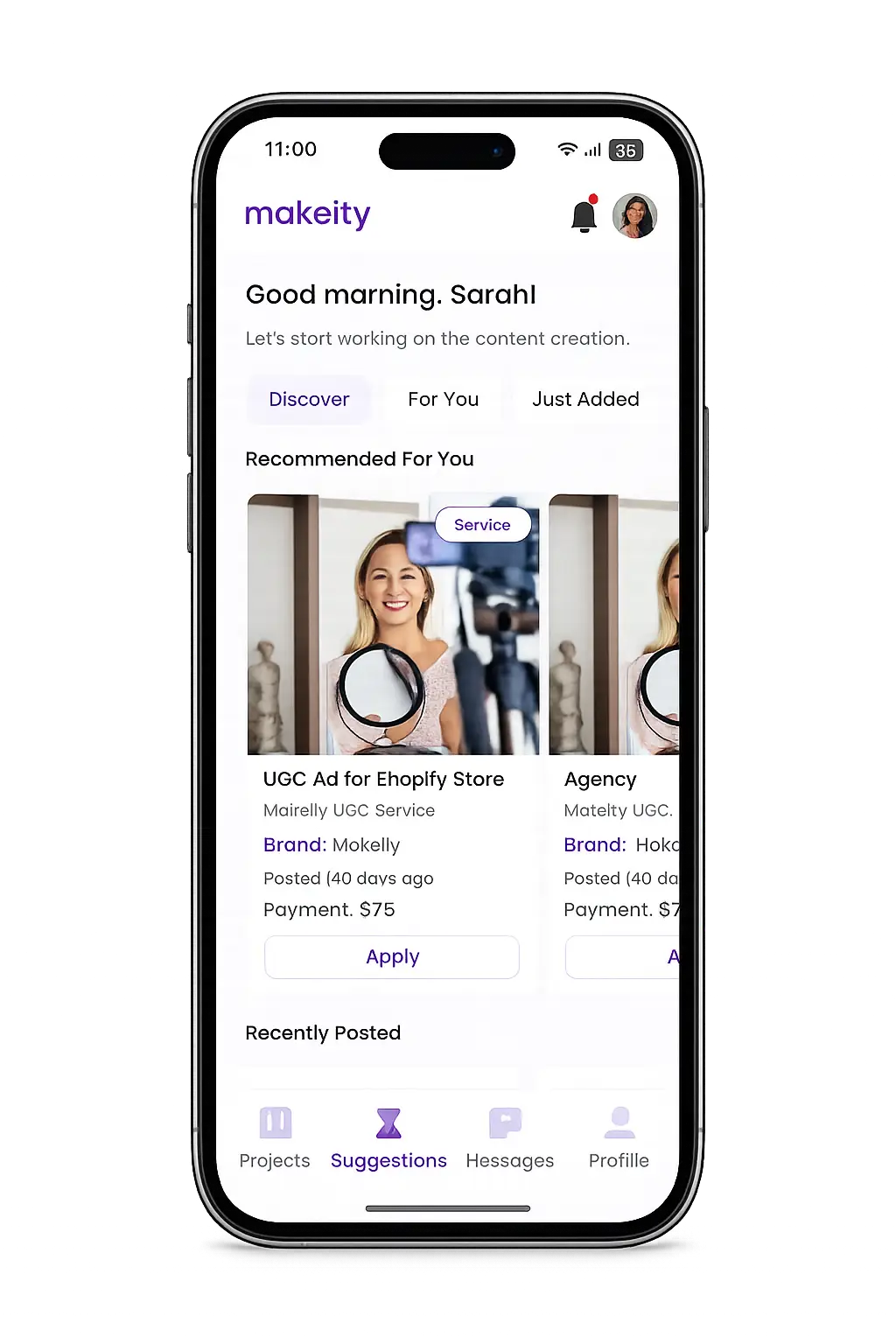
Create From Anywhere
Manage your creator account from the Makeity app
Discover new projects, communicate with businesses, upload content, track your orders and manage everything directly from your phone.


Still need help with your account or project?
Contact the Makeity support team and include your account email, order number and a clear explanation of the issue.

Helping brands create authentic content through trusted creators worldwide.
Makeity connects businesses with content creators around the world for authentic, high-quality user-generated content.
Creator Support
Makeity
Legal
© 2026 Makeity®. All rights reserved.