

Shipping Process
Learn how product shipping works on Makeity, how to track your package, and what to do when your order arrives.
Shipping Process on Makeity
Some Makeity projects require a business to send you a physical product before you can create the content.
The shipping process begins only after you have been officially selected and have accepted the order inside Makeity.
- Confirm that your shipping address is correct
- Accept the order before the business sends the product
- Wait for the business to provide shipping information
- Track the package when tracking details are available
- Confirm when the product arrives
- Inspect the package before beginning the project
Check Your Shipping Address
Before accepting a physical-product order, make sure the shipping address saved in your creator account is complete and current.
Your address should include:
- Your full name
- Street name and building number
- Apartment or unit number, if applicable
- City and postal code
- Country
- A valid telephone number for the courier
Accept the Order
A business should not send a product before you officially accept the order inside Makeity.
Before accepting, review the project brief, delivery requirements, payment, deadline and shipping details.
Wait for the Business to Ship the Product
After you accept the order, the business prepares and sends the product to the shipping address saved in your account.
Preparation and shipping times can vary depending on the business, courier, product location and destination country.
Review the Tracking Information
When tracking information is available, the business may add the courier name and tracking number to the order or send it through the Makeity messaging area.
Use the tracking information to check:
- When the package was shipped
- The current delivery status
- The estimated delivery date
- Whether the courier attempted delivery
- Whether customs information is required
Receive the Package
When the package arrives, check that the product matches the project and that it was not damaged during shipping.
Before using or opening the product, check:
- The product name and quantity
- The product condition
- Whether the package is sealed
- Whether any items are missing
- Whether instructions or accessories are included
Report a Damaged or Incorrect Product
If the package is damaged, incomplete or contains the wrong product, contact the business through Makeity before creating content.
Include clear information such as:
- A description of the problem
- Photos of the package and product
- Photos of any visible damage
- A list of missing or incorrect items
- The date the package arrived
What to Do If the Package Is Delayed
First, check the tracking information and estimated delivery date. Delays may occur because of weekends, public holidays, customs checks or courier issues.
If the estimated delivery period has passed, send a message to the business through Makeity and ask them to verify the shipment.
Start Creating Content
Once the correct product has arrived, carefully review the project brief again before filming.
Confirm that you understand:
- The requested video length
- The content format and style
- The required talking points
- Any product demonstrations
- The delivery deadline
- Whether raw or edited content is required
Shipping Tips for Creators
- Keep your shipping address updated at all times
- Use an address where someone can receive the package
- Check your tracking information regularly
- Reply quickly if the courier contacts you
- Keep the package and product in good condition
- Take photos immediately if the package arrives damaged
- Communicate with the business only through Makeity
- Do not start filming with an incorrect or damaged product
- Review the project brief again after receiving the package
⚠️ Important Shipping Rules
Do not provide a different shipping address through private messages, contact the business outside Makeity or request payment for customs, shipping or product purchases outside the platform. Contact Makeity Support if you receive an unusual payment or shipping request.
Frequently Asked Questions
Do all Makeity projects include shipping?
No. Shipping is required only for projects involving a physical product. Digital products, apps and service-based projects may not require a package.
When should the business ship the product?
The business should ship the product after you have officially accepted the order inside Makeity.
How long does shipping take?
Shipping time depends on the business location, destination, courier and customs process. Check the tracking information or contact the business through Makeity if the estimated delivery date has passed.
Can I change my shipping address after accepting?
Contact the business immediately through Makeity. An address change may be possible only if the package has not yet been shipped.
What if there is no tracking number?
Some shipping services do not provide tracking. Ask the business for the estimated delivery period and wait until that period has passed before reporting the package as delayed.
What if the courier cannot deliver my package?
Contact the courier using the tracking information and confirm that your address and telephone number are correct. Also update the business through Makeity.
What should I do if the product arrives damaged?
Take clear photos and contact the business through Makeity before using the product or creating content.
What if the wrong product arrives?
Do not begin filming. Send the business photos and an explanation through Makeity and wait for instructions.
Should I pay customs charges?
Do not make an unexpected customs or shipping payment without first contacting the business and Makeity Support. Requirements may vary by country and order.
When does my content deadline begin?
Follow the deadline and order status shown inside Makeity. For physical products, the creation period generally begins after the product has arrived, unless the order includes different instructions.
Can I contact the business outside Makeity?
No. Keep shipping and project communication inside Makeity so the order history remains documented and both parties remain protected.
Waiting for a Product?
Open your Makeity account to review the shipping status, tracking information and messages related to your active order.
Create From Anywhere
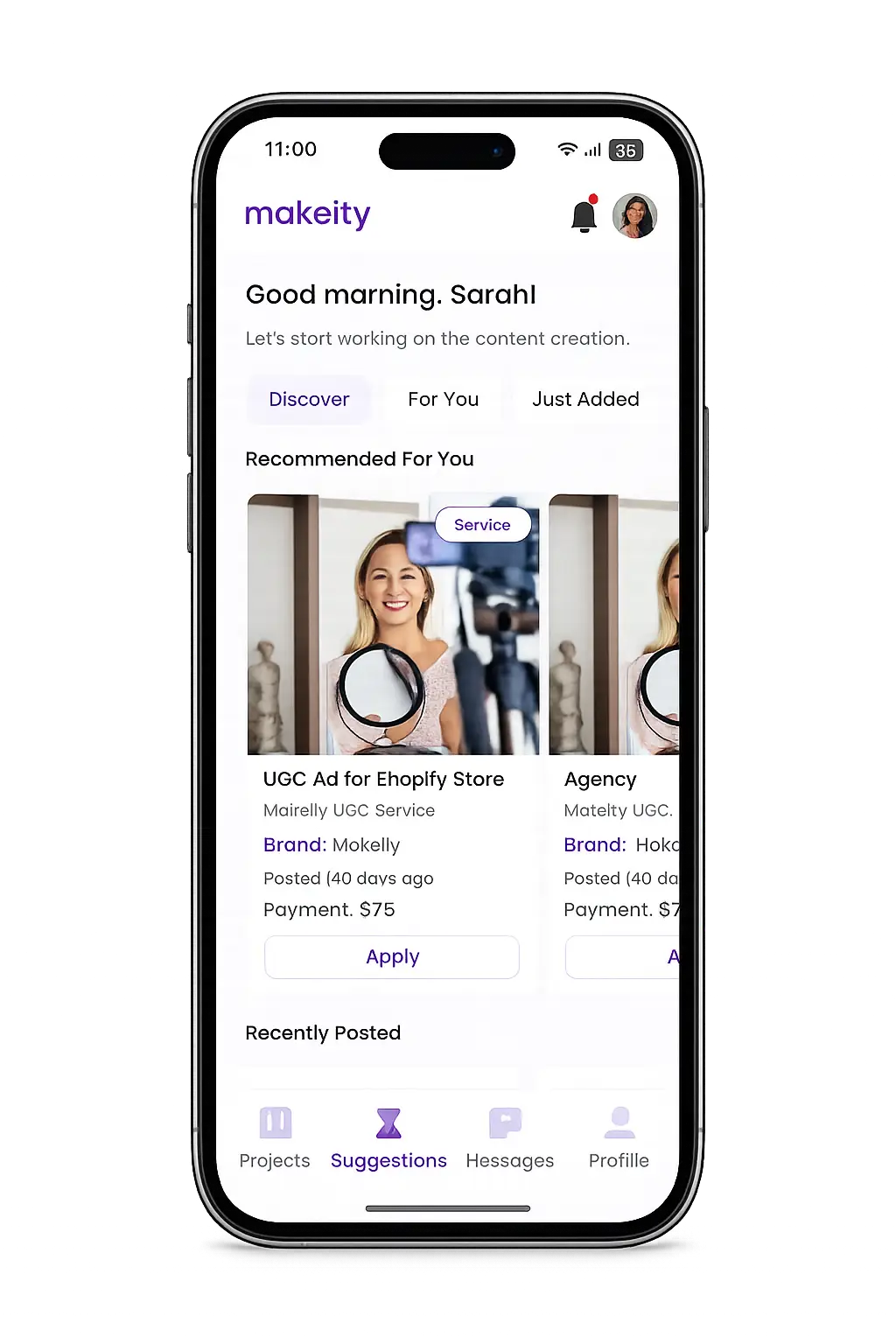
Manage your creator account from the Makeity app
Discover new projects, communicate with businesses, upload content, track your orders and manage everything directly from your phone.


Still need help with your account or project?
Contact the Makeity support team and include your account email, order number and a clear explanation of the issue.

Helping brands create authentic content through trusted creators worldwide.
Makeity connects businesses with content creators around the world for authentic, high-quality user-generated content.
Creator Support
Makeity
Legal
© 2026 Makeity®. All rights reserved.