

Why was my account rejected?
Learn why Makeity may reject a creator account, how to correct your UGC sample and profile information, and submit your account again for review.
Why Was My Account Rejected?
A rejected creator account does not always mean that you cannot join Makeity. In most cases, the profile was rejected because required information was missing or the uploaded sample did not clearly demonstrate real UGC creation skills.
You may be able to correct the issue, upload a valid sample, complete your profile, and submit your account again for review.
Common Reasons for Account Rejection
Review the reasons below and compare them with the content and information you submitted.
Your profile may be rejected if no sample video was uploaded or if the uploaded file is missing.
Makeity accepts authentic content created by real creators. Fully AI-generated videos are not accepted as creator samples.
Random clips, travel videos, scenery, personal selfies, pets, or unrelated videos do not demonstrate your ability to create UGC.
Videos without speech, with very low sound, or with audio that cannot be understood may not show your communication skills.
Very long videos may be difficult to review and may not clearly demonstrate your UGC style. Keep your sample focused and concise.
Your profile should include a clear and suitable photo so businesses can understand who the creator is.
Blurry photos, group photos, logos, heavily filtered images, or photos where your face cannot be identified may be rejected.
Missing personal information, languages, profile description, shipping details, or other required sections can prevent approval.
Product-only footage, slideshows, music videos, or B-roll without a clear presentation may not demonstrate your creator abilities.
Content created by another person or downloaded from social media cannot be used as your personal UGC sample.
Videos with another creator’s username, account watermark, or obvious reposting may require additional verification or be rejected.
False profile details, duplicate accounts, or information that does not match the creator may result in rejection.
Upload a Real UGC Sample
Your sample should clearly show that you can create authentic content for a business, product, service, or app.
A suitable sample may include:
- A natural product review
- A product demonstration
- A testimonial-style video
- An unboxing video with commentary
- A problem-and-solution video
- A short lifestyle video featuring a product
- An app or service explanation
Show Your Own Creator Skills
The sample should represent your own appearance, voice, presentation, filming, and content style.
Make sure:
- You created the video yourself
- Your presentation is natural and understandable
- Your face is visible when appropriate
- Your voice can be heard clearly
- The product or topic is easy to understand
- The video demonstrates how you would create content for a business
Keep the Sample Short and Focused
Your sample should quickly demonstrate your content quality and communication style.
Avoid:
- Long introductions
- Several minutes of unrelated footage
- Full-length vlogs
- Long travel or lifestyle videos
- Repeated scenes that do not add value
- Videos that do not have a clear product or service focus
Use Clear Voice and Audio
Businesses need to understand how you speak and present information. Your voice should be clear and easy to hear.
Before uploading, check that:
- Your voice is louder than the background music
- There is no strong background noise
- The microphone is not covered
- Your words can be understood
- The audio remains clear throughout the video
- The video is not completely silent
Upload a Suitable Profile Photo
Your profile photo helps businesses identify you and makes your profile appear more complete and professional.
Use a photo that:
- Clearly shows your face
- Uses good lighting
- Is recent and high quality
- Shows only you
- Has a clean or simple background
- Does not use heavy filters
Complete All Profile Sections
Review your account and confirm that all required information has been added and saved.
Check:
- Your full name
- Your country and city
- Your languages
- Your profile photo
- Your cover image, if requested
- Your creator description
- Your valid UGC sample video
- Your content categories or niches
- Your shipping information
- Your payment details, if required
Replace the Rejected Sample
If your previous sample did not meet the requirements, upload a new video that clearly demonstrates real UGC skills.
Before uploading the replacement:
- Play the complete video on your device
- Confirm that the image and audio work correctly
- Make sure the file is not damaged
- Check that it is the correct video
- Remove unnecessary platform watermarks when possible
- Confirm that you have permission to use all included material
Submit Your Profile Again
After correcting the issue, save your profile and submit it again for review.
The Makeity team will review the updated information and new sample before changing your account status.
Before You Submit Again
⚠️ Important
Do not submit AI-generated creator samples, stock footage, stolen videos, another creator’s content, fake profile details, or duplicate accounts. Misleading or invalid submissions may result in another rejection, suspension, or permanent removal from Makeity.
Frequently Asked Questions
Can I submit my profile again after rejection?
In many cases, yes. Correct the issue, upload a valid UGC sample, complete all required profile sections, and submit the profile again for review.
Will my account be deleted after rejection?
Rejection does not always mean immediate deletion. Your next steps depend on the reason for rejection and the options displayed inside your account.
Can I upload a different sample video?
Yes. If your previous sample was invalid or unsuitable, upload a new video that clearly demonstrates your own UGC skills.
Can I use an AI-generated video as my sample?
No. Your sample should show authentic content created and presented by you. Fully AI-generated creator videos are not accepted.
Can I upload a video without speaking?
A video without speech may not clearly demonstrate your presentation and communication abilities. Upload a sample with clear voice whenever possible.
Why was my long video rejected?
Very long videos may be difficult to evaluate and may contain unrelated content. Use a short, focused video that clearly demonstrates your UGC style.
Can I upload a video from Instagram or TikTok?
You may use a video that you created yourself and have permission to reuse, provided it clearly demonstrates your UGC abilities. Avoid videos showing another creator’s watermark or username.
Why was my profile photo rejected?
Your photo may be unsuitable if it is blurry, heavily filtered, shows a group, uses a logo or illustration, or does not clearly show your face.
Do I need professional filming equipment?
No. A modern smartphone is generally enough. Focus on clear audio, good lighting, stable framing, and natural presentation.
How long will the new review take?
Review times may vary depending on the number of profiles waiting and whether your updated information is complete.
Why was my account rejected again?
The original issue may not have been corrected, or another required section may still be missing. Review your profile and sample carefully before submitting again.
Should I create another account?
No. Use your existing account and correct the rejected profile. Duplicate accounts may cause additional delays or restrictions.
Correct Your Profile and Submit Again
Open Makeity, replace any invalid sample, upload a suitable profile photo, complete the missing information, and submit your creator account for a new review.
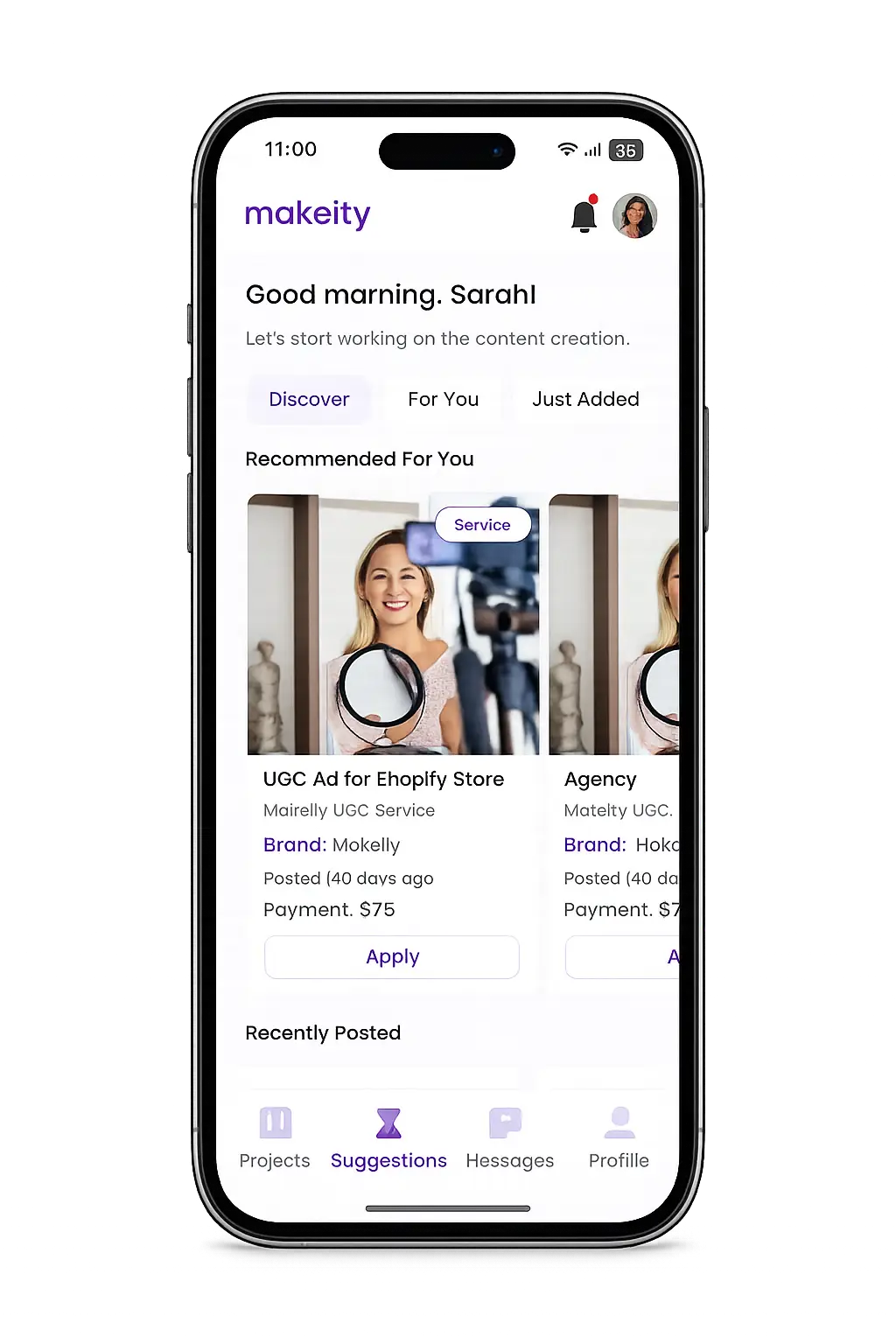
Create From Anywhere
Manage your creator account from the Makeity app
Discover new projects, communicate with businesses, upload content, track your orders and manage everything directly from your phone.


Still need help with your account or project?
Contact the Makeity support team and include your account email, order number and a clear explanation of the issue.

Helping brands create authentic content through trusted creators worldwide.
Makeity connects businesses with content creators around the world for authentic, high-quality user-generated content.
Creator Support
Makeity
Legal
© 2026 Makeity®. All rights reserved.